
The Simple Guide to Running Facebook Ads for Beginners
The four things that actually decide whether a Facebook ads account makes money in 2026, in the order they matter, explained the way we explain them to our customers.
Running Facebook ads in 2026 is not about picking the right audience any more. Facebook finds the audience for you.
Your job is to give it a strong offer wrapped in varied creative, and clean conversion data so it knows who actually bought. Get those right inside a simple structure, read the results honestly, and the account compounds.
Four things decide the outcome, in order of impact:
The offer and the creative
What you say and show. Facebook reads your creative to decide who sees your ad, so your creative is your targeting. This is the single biggest lever you control.
The structure
How you set the campaign up. The winning structure is boringly simple: one campaign, broad targeting, lots of creative. Complexity actively hurts you.
The data engine
The conversion data you feed back to Facebook. The algorithm is only as smart as the signal it receives, and most accounts feed it a fraction of what happened.
The read
Measuring results without fooling yourself. Attribution changed again in 2026, and misreading it is how good campaigns get killed and bad ones get scaled.
Part 1: The Offer and the Creative
Before you write a single line of ad copy, get the offer right, because a weak offer sinks even a brilliant ad. The offer is the deal you are putting in front of someone: what they get, how believable it is, how fast it arrives, and how much effort it costs them. A great ad for a mediocre offer loses to a plain ad for a great one.
Pressure-test every offer on four things:
The dream outcome (vivid and specific, not vague)
Perceived likelihood (proof: reviews, results, named customers, guarantees)
Time delay (the sooner the payoff, the stronger the offer)
Effort (every step or form field you remove makes it easier to say yes).
The move is always the same: raise the dream outcome and the believability, lower the time and the effort. One genuine edge, made concrete, is enough.
Mechanics that reliably lift response are:
a money-back or results guarantee
a bundle with the savings shown as math
a first-time-buyer exclusive or free trial
honest scarcity (where it is real) like "only 100 left"
The new way of running ads
Facebook ads have changed considerably in the last few years. In particular:
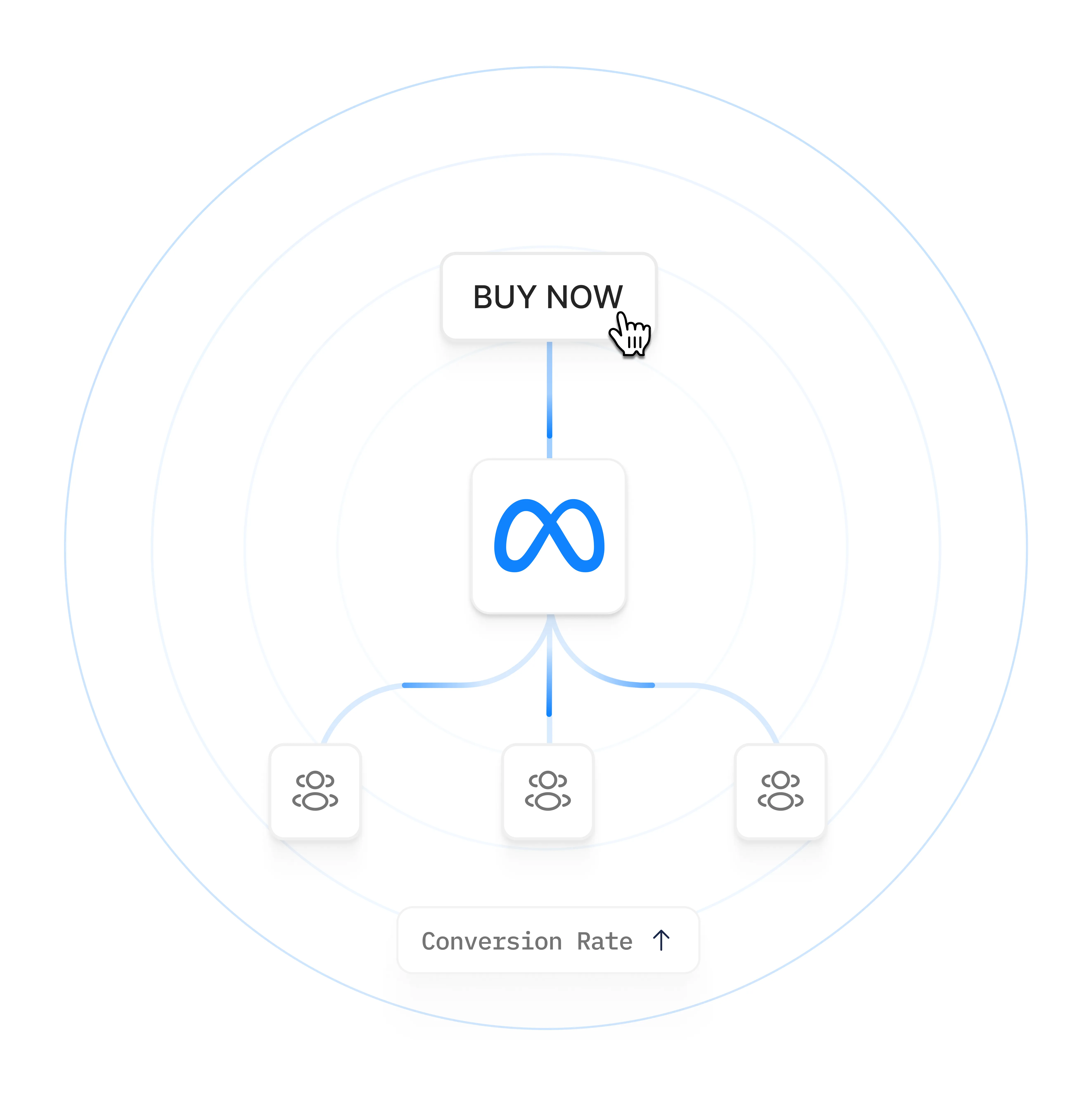
Facebook reads your creative. The ad delivery system uses signals in the ad itself, and in who engages with it, to decide who sees it. A video about getting your toddler to sleep finds tired parents on its own, no interest targeting required.
Audience research is automated away: stacking interests, building lookalikes and splitting cold and warm traffic used to be the craft. The system now reaches well beyond whatever audience you set.
Your creative range is your reach: show Facebook a product demo, a founder story, a testimonial, a comparison and a cost breakdown, and it learns which message lands with which person and quietly builds a funnel out of your creative.
So the leverage moved to the ad: you are no longer choosing an audience. You are handing Facebook a range of messages and letting it match each message to the people it fits.
Facebook rewards variation (genuinely different concepts) and ignores iteration (the same ad with a new colour or a tweaked headline). If two of your ads could be described as basically the same ad, you are iterating, and near-identical ads compete against each other for the same people and split your data.
Vary the angle (problem-solution, social proof, origin story, honest comparison, cost breakdown), the format (short video, long video, static, carousel, raw UGC) and the persona at the same time. Three funnel stages by three angles by three formats gives you twenty-seven distinct concepts from one grid. Use Facebook’s built-in text variations to test wording; save whole new ads for whole new ideas.
A working rule for volume is one new creative concept per $3,000 of monthly spend, keeping 15 to 30 ads active at smaller budgets. Refresh every two to three weeks, watch for fatigue (click-through under 1%, frequency past 3.0), and give new creative 5 to 7 days and roughly 10 conversions before a keep-or-kill call.
One real winner in ten concepts is healthy.
Almost every high-performing Facebook ad wins or loses in the first three seconds. People scroll fast, sound is often off, and the opening moment is where attention is captured or lost. Write the hook into the first 40 characters of copy and the first 3 seconds of video, and lead with the problem or the result, not the product.
Make it feel native, not produced: lo-fi, phone-shot, UGC-style content beats polished studio production most of the time, because it looks like the feed instead of interrupting it. Show the product in use, and be specific: named numbers and real customer words are the most persuasive copy you can run.
Design for the format: shoot 9:16 vertical as your master, keep faces and text in the middle safe zone, and caption everything. Problem-agitate-solution and a simple story arc carry video; feature-benefit-proof or one strong testimonial carries a static. When stuck, answer the buyer’s biggest objection head-on.
Part 2: The Structure
One campaign, broad targeting, lots of creative
The default structure that works today is the simplest one: one campaign with one clear objective, one ad set with broad targeting and automatic placements, and 20-plus genuinely different ads inside it. The old cold, warm and retargeting split mostly fragments your data and makes every piece learn more slowly.
Why consolidation wins:
Concentrated data learns faster: one campaign at $500 a day gives Facebook far more signal than five campaigns at $100 a day each, even though the total spend is identical.
Your creative mix is the funnel: inside a single ad set, Facebook shows a new person an awareness-style ad first, then something more persuasive, then a direct-response push. Give it variety across funnel stages and it assembles the journey for each person.
The structure takes ten minutes to set up. The creative is the work, and it is where nearly all of your effort should go.
Facebook builds a funnel from your creatives
Because Facebook builds the funnel out of your creative, your ads are not all trying to do the same job, and judging each one on its own last-click cost per acquisition will make you switch off the ads doing the quiet work. An awareness ad that introduces the problem often shows a poor direct CPA while it primes the very buyers a later ad closes.
At any given moment your audience is spread across stages of awareness:
people who do not yet know they have the problem
people who feel the problem but do not know solutions exist
people weighing solutions
people comparing products
people ready to buy.
For a deep dive on this, check out The 5 Stages of Awareness by Eugene Schwartz
Stage
Where their head is at
What the ad needs to do
Creative that works
Unaware
Problem not on their radar. No search, no shopping, no words for it.
Interrupt the scroll. Show the problem as a story and make them feel it. No product.
Skits, street interviews, VSLs, big-claim statics
Problem aware
They feel the pain but assume nothing fixes it.
Name the pain in their words, agitate it, point to a category of fix. Not your product yet.
Before/after, founder stories, problem-vs-solution
Solution aware
They know options like yours exist and are weighing them.
Differentiate. Lead with your mechanism and why it beats their shortlist.
Green-screen explainers, listicles, review videos, infographics
Product aware
They know you. One objection is holding them back.
Kill that objection with proof: demos, comparisons, before and after.
Proof mashups, comparisons, press, reaction videos
Most aware
They want it. They need a reason to act today.
Make the offer, cut the risk. Urgency, clear price, guarantee.
Promo ads, price breakdowns, unboxings
Different ads do different jobs, so don't kill based on CPA alone
Different creative meets them at different points. A problem-agitation video might make someone realise they have a problem for the first time. They are not ready to buy from you yet, so on a last-click report that ad looks like it “did not convert.”
But it moved that person from problem-aware to solution-aware, and the testimonial or offer ad they see a few days later gets the credited sale.
Turn the first ad off and the second ad’s performance can quietly fall, because the pipeline of primed people dries up.
That is the trap of judging ads in isolation. Facebook is spending your budget across a sequence, and the CPA on any single ad’s row is only its last-click slice, not its real contribution.
When to cut a low performer
So before you cut a low performer, separate two cases:
A brand-new concept that never gained traction. Low reach, a weak hook rate, little engagement, no conversions after a fair test. That is a genuine miss. Cut it (this is the kill rule from Part 1).
An established ad with healthy top-of-funnel signals but a mediocre last-click CPA. Strong hook rate, cheap reach, plenty of engagement, clearly feeding your warm audiences. That is almost certainly an assist, not a failure. Keep it.
How do you tell which one you are looking at?
Stop reading last-click CPA in isolation. Check the ad's hook rate and engagement, look at a longer or view-through attribution window, and above all watch your blended numbers: total spend against total revenue or leads for the whole account.
The most reliable test of a suspicious ad is simple. Pause it, then watch what happens to your blended cost per acquisition over the next several days.
Manual interest targeting is largely finished. Facebook has removed thousands of detailed targeting options and made broad, AI-driven Advantage+ audiences the default. What actually moves performance is not the audience settings, it is the quality of the signals you feed in: your creative and your first-party conversion data.
One honest exception: very small or brand-new accounts, roughly under 50 conversions a week, in a genuinely niche or hyper-local market, sometimes benefit from a starting interest or two while the AI gathers data. Treat it as training wheels you widen out of as volume builds, not a permanent strategy.
The one hard control still worth using deliberately: location. If you only ship to the US, or only serve one city, set that. Geography is a real constraint, and it is the setting Facebook will not override.
Advantage+ and the death of interest targeting
Manual interest targeting is largely finished. Meta has removed thousands of detailed targeting options and made broad, AI-driven Advantage+ audiences the default. What actually moves performance is not the audience settings, it is the quality of the signals you feed in: your creative and your first-party conversion data.
One honest exception: very small or brand-new accounts, roughly under 50 conversions a week, in a genuinely niche or hyper-local market, sometimes benefit from a starting interest or two while the AI gathers data. Treat it as training wheels you widen out of as volume builds, not a permanent strategy.
The one hard control still worth using deliberately: location. If you only ship to the US, or only serve one city, set that. Geography is a real constraint, and it is the setting Meta will not override.
Budgets, the learning phase, and the exceptions
Every new ad set enters a learning phase while Facebook figures out who to show it to, and it needs roughly 50 optimisation events (your chosen conversion) per week to exit it and stabilise. Until it does, performance is volatile and unreliable.
Working backwards from 50 gives you a minimum budget: target cost per acquisition, times 50, divided by 7, for a daily figure. If a lead costs $20, that is roughly $143 a day. Facebook’s technical minimum is $1 a day, but that is not a budget that lets the system learn.
Rules that keep you from sabotaging your own learning phase:
Let the campaign hold the budget: with campaign budget optimisation, Facebook distributes one budget to whichever ads perform, and raising it spreads increases across winners instead of shocking one ad set back into learning.
Change things gradually: budget swings over about 20%, audience edits and objective changes all reset learning. Scale in steps of roughly 20%, then wait.
Optimise for an event you can afford: if purchases are too rare to hit 50 a week, optimise for an earlier action like a lead or add-to-cart instead.
Stuck in learning? The cause is almost always one of three things: the budget is too low, the event is too rare, or you keep editing. Fix the cause rather than restarting.
The most common self-inflicted wound in a Facebook account is constant tinkering that never lets anything stabilise.
Scaling: raise the campaign budget roughly 20% at a time and let campaign budget optimisation spread it across your winners. Resist the urge to fiddle daily.
The practical takeaway: fund each ad set to clear 50 conversions a week, make changes gradually, and give the system room to stabilise before you judge it.
When to break the keep-it-simple rule
A second campaign is justified only by: genuinely different products or objectives (a lead-gen offer and a purchase offer optimise for different events), different geographies that need different messaging or languages, a deliberate spend cap on a specific product line, or a large budget (over roughly $10K a month) where a separate testing campaign protects proven performers.
If none of those applies, keep everything in one campaign. Even when one does, keep it to two campaigns, testing plus main, never the old sprawling three-plus.
Retargeting note: the broad-and-varied rules are written for cold prospecting. People who already know you play a different game: acknowledge the relationship, answer the specific objection that stopped them (price, shipping, trust), and lean on dynamic ads and honest time-limited nudges.
Do not blanket-apply the prospecting creative-diversity playbook to a warm audience.
Part 3: The Data Engine
Clean data is what the algorithm eats
Everything in Parts 1 and 2 assumes Facebook can see who converts, and for most accounts it cannot see nearly enough. Browser-based tracking, the standard Facebook Pixel, misses roughly 20% to 40% of conversions to iOS privacy limits, browser restrictions and ad blockers.
That means the algorithm you just fed great creative is optimising on partial, distorted data. The fix is server-side tracking through Facebook’s Conversions API (CAPI), which sends conversions straight from a server to Facebook, where the browser cannot block them.
Two data facts drive optimisation quality. Event Match Quality is Facebook’s 1-to-10 score for how confidently it can match a conversion to a real person; hashed email is the strongest signal, and 8 or higher is the target on key events. The Facebook Click ID is the tag Facebook puts on your URL when someone clicks an ad; it is what ties a specific sale back to a specific campaign.
Two things follow:
Tracking pays before you spend: conversion data trains the algorithm whether ads are running or not. Every organic sale, lead and booking teaches Facebook who your customers are, so install tracking early and leave it running.
The click ID does not travel: send buyers to a third-party checkout or booking page on another domain and Facebook records the conversion but cannot credit the ad that paid for it.
The fix, without a developer
This is the problem PixelFlow was built to solve for people who are not developers. It fires the Pixel and the Conversions API together, deduplicates them, captures and preserves the click ID, and passes the hashed customer data that lifts your match quality.
It works on Framer, Webflow, Squarespace, WordPress and more, with no code and no Google Tag Manager.
The full mechanics (Event Match Quality, the click ID, deduplication, the redirect trap, last-click attribution) are covered in the companion guide.
Part 4: Understanding Your Ad Results
Reading results without fooling yourself
Facebook’s own numbers are optimistic, and the reporting changed again in 2026. If you scale campaigns that only look good and kill campaigns that only look bad, all the work in Parts 1 to 3 goes to waste.
Attribution is a window, and the default flatters you. Facebook’s 7-day click and 1-day view setting claims credit if the person clicked your ad in the last 7 days or merely saw it in the last 1 day. View-through credit is where inflation creeps in. Check your numbers on a 7-day-click-only window when you want a stricter read.
In early 2026 Facebook removed the 28-day-view and 7-day-view windows, and many accounts saw reported conversions drop 15% to 30% overnight. That was a reporting change, not a real drop in sales, exactly the kind of thing that panics people into killing healthy campaigns.
The metrics below keep the read honest.
Judge video on hook rate - Hook rate is 3-second views divided by impressions. Under 25% means kill it, 30% to 40% is healthy, over 40% means scale it. Across the account, watch your hit rate: the share of new ads that become real winners. Below 5% and the creative process needs work; 10% to 20% is a healthy, scalable account.
Keep CPA honest against the business. Cost per acquisition should sit comfortably under a third of a customer’s lifetime value, not just under some vanity target.
The rule of thumb: do not trust one number in isolation. Facebook’s in-platform ROAS, your bank deposits and a neutral analytics view will rarely agree perfectly. Watch the trend on a consistent, strict setting. When your tracking is clean (Part 3), the gap between reported and real shrinks.
Metric
Healthy
Act when
Hook rate (3-second views / impressions)
30% to 40%
Under 25% kill, over 40% scale
Hit rate (new ads that become winners)
10% to 20%
Below 5%, fix the creative process
Cost per acquisition
Under a third of LTV
Above it, revisit offer and creative
Key takeaways
The offer and the creative are the biggest lever. Facebook reads your creative to decide who sees your ad, so your creative is your targeting. Fix the offer first, then feed the system varied, scroll-stopping ads.
Variation beats iteration. Twenty genuinely different concepts (different angles, formats and personas) beat the same ad recoloured twenty times. Facebook ignores superficial changes.
Keep the structure simple and respect the learning phase. One campaign, one broad ad set with Advantage+ audiences, lots of creative, funded to hit roughly 50 conversions a week, without constant edits that reset learning.
Clean data makes everything else work. Browser tracking misses 20% to 40% of conversions; server-side CAPI tracking with high Event Match Quality is what lets the algorithm optimise on the truth.
Read results on a strict, consistent window. Facebook’s default attribution flatters you, and the 2026 window changes cut reported numbers without changing real sales. Watch the trend, not a single inflated figure.
Where PixelFlow fits
Parts 1 and 2 of this guide are your job. Part 3 is what PixelFlow automates on your site, without a developer:
The pipeline. PixelFlow loads the Facebook Pixel and sends the Conversions API server-side for every event, with a shared event ID generated across both so deduplication is automatic. You install one script and stop worrying about whether events arrive.
The match. It captures form submissions at the moment of action, so the name, email and phone go out with the event rather than being lost on a later page load. It also extracts customer data from URL parameters, which is how bookings redirected from tools like Calendly still arrive with real identifying data attached. Both are what lift your Event Match Quality.
The credit. PixelFlow stores the Facebook Click ID when a visitor arrives from an ad and reunites it with the conversion when it happens, including conversions that complete on a third-party page and redirect back to your site. That is the difference between Facebook attributing a booking to your campaign and showing it as an unattributed conversion.
The engine. It runs continuously whether or not your ads are on, so your organic conversions keep training your dataset.
It works on Webflow, Framer, Squarespace, WordPress and more, with no code and no Google Tag Manager.

Emmett Cooke
Founder, PixelFlow.so
Last updated 28 July 2026
15 min read
Frequently asked questions
How much should I budget to start with Facebook ads?
Enough for your chosen conversion event to hit roughly 50 a week per ad set, since that is what Facebook needs to exit the learning phase and stabilise. A quick way to size it: multiply your target cost per acquisition by 50, then divide by 7 for a daily figure. If a lead costs $20, that is about $143 a day. You can technically start at a few dollars a day, but below the learning-phase threshold the algorithm struggles to optimise and results stay volatile. If your budget is genuinely small, optimise for a cheaper, more frequent event (a lead or an add-to-cart rather than a purchase) so you can still clear 50 a week.
Do interest targeting and lookalike audiences still work in 2026?
For most accounts, no, not the way they used to. Facebook removed thousands of detailed targeting options and made broad, AI-driven Advantage+ audiences the default, and its delivery system now expands beyond whatever audience you set anyway. Your creative and your conversion data do the targeting now. The exceptions are very small, brand-new, or hyper-niche accounts under about 50 conversions a week, where a starting interest can help while the system gathers data, and location targeting, which is a real control worth setting deliberately.
How many ads do I actually need to run?
More than most people think. A working rule is one new creative concept per $3,000 of monthly spend, keeping 15 to 30 ads active at smaller budgets and scaling from there. This is because creative now does the targeting: the more genuinely different concepts you give Facebook, the more ways it has to reach the right people, and it fatigues creative quickly. The ads must be real variations (different angles, formats, and audiences), not the same ad with a new colour, because Facebook ignores superficial changes and near-identical ads cannibalise each other.
Why is my campaign stuck in the learning phase?
Almost always one of three causes. The budget is too low to generate 50 optimisation events a week, so lift it or pick a more frequent conversion event. The conversion you are optimising for is too rare, so optimise for an earlier action in the funnel. Or you keep editing the campaign: budget changes over about 20%, audience edits, and bid changes all reset learning. Make changes gradually and infrequently, and give each ad set the room to stabilise before you touch it.
Should I use one campaign or several?
Default to one. In 2026 a single campaign with one broad ad set and lots of varied creative outperforms the old cold/warm/retargeting split, because concentrated data lets Facebook learn faster. Only split into a second campaign when you have genuinely different products or objectives, different geographies or languages, a need to cap spend on a specific line, or a large budget (over roughly $10K a month) where you want to isolate creative testing. Even then, keep it to two campaigns, not the old three-plus structure.
Why do Facebook's reported conversions not match my actual sales?
Two reasons, in opposite directions. Facebook's default 7-day-click, 1-day-view attribution over-credits by claiming conversions people would have made anyway, especially view-through ones, while browser tracking under-counts by missing 20% to 40% of real conversions to ad blockers and iOS limits. In early 2026 Facebook also removed the 28-day-view and 7-day-view windows, which cut many accounts' reported numbers by 15% to 30% overnight without any real change in sales. Clean server-side tracking narrows the gap, and reading results on a consistent, stricter window keeps you honest.
Fix Your Facebook Tracking Today
Accurate reporting and attribution for your Facebook Ads.
Compatible with


