
Understand the basics of Facebook ads tracking - how attribution works, why you no longer use manual "interests" targeting and more
How Does Facebook Ad Tracking Actually Work?
This guide is built from the questions real PixelFlow customers ask on setup calls.
Every concept below is one we walk people through week after week, grounded in how Meta's Conversions API and Pixel actually behave and how Facebook uses the data that you send it.
You'll learn the basics of exactly how Facebook ad tracking works so you can better understand your own setup, how to optimise it, why your ad results aren't the best the can be and much more.
This guide is based on 4 separate ideas:
The engine
Meta studies everyone who converts for you and goes looking for more people like them. You stopped picking the audience; your data picks it.
The pipeline
Events travel two roads at once: the Pixel in the browser and the Conversions API from the server, deduplicated so nothing counts twice.
The match
Every event carries identifying signals. The more confidently Meta can match them to a real person, the higher your Event Match Quality score.
The credit
The Facebook Click ID ties each conversion to the exact ad click that caused it. Lose it, and Meta cannot credit a particular action (eg. Lead) to your campaign.
The Ads Engine: How Data Fuels Your Facebook Ads
The old way of running Facebook ads was to manually target them yourself - you'd select "interests", age, location etc. and run multiple ad variations all targeting different versions.
Nowadays however, your success with Facebook ads is driven by the data you feed the algorithm rather than manual targeting.
Send Facebook real conversion data (who visited, clicked, bought) and it stops targeting broad categories and starts finding people who actually buy.
Better data wins every time.
The algorithm stops chasing interests and starts scaling the customers you have already proven.
The Basic Concept
Someone does something: A customer comes to your website (from a Facebook ad, Google, organic etc.) and does something like fills in a form, buys, clicks a button etc. PixelFlow captures as much data as it can and sends it to Facebook immediately.
Facebook finds that person: Facebook holds 52,000 data points on every person. It finds what each of your users has in common and builds a clearer picture of your ideal customer.
It finds more people like them: Your ads start showing to people who match your best customers not just people who clicked "interested in yoga."
Your ads become more profitable: The more data you send to Facebook, the better it becomes at finding your ideal customers. More conversions means more data. The loop improves itself.
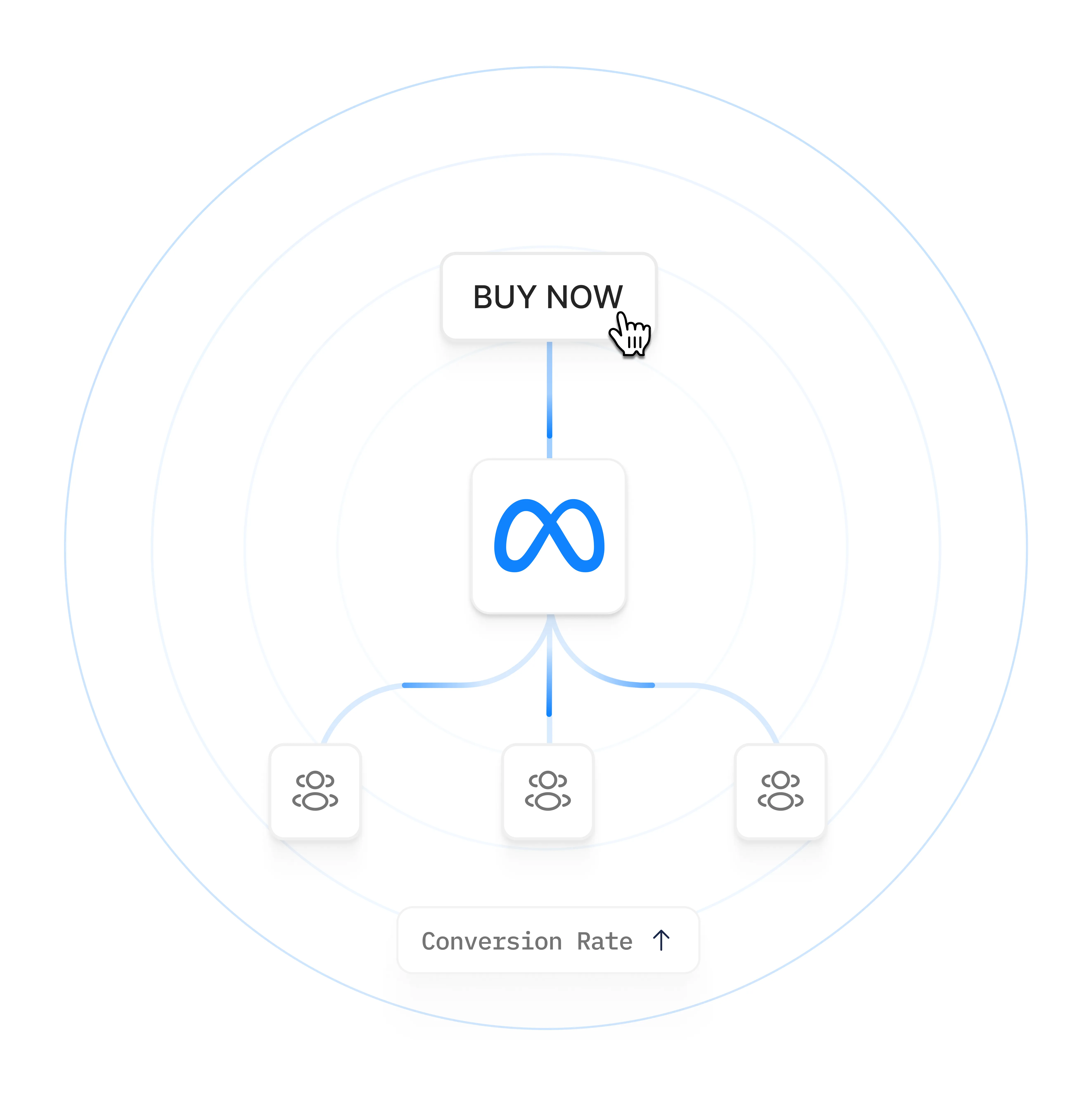
A question we get constantly: “If I am not running ads right now, why would I still send data to Meta?”
Because the data does not go straight into an ad. It goes into your Meta dataset (your Pixel), where Meta’s system keeps learning from it. Every form fill, booking, and purchase from your organic traffic (Google, Instagram, direct, email) still gets sent and still teaches Meta who your customers are.
Here is what Meta does with it. It looks at everyone who has triggered a given conversion, whether they came from an ad or not, and finds the commonalities across all of them. It knows an enormous amount about each person, so it can spot patterns you never could. Then, when you do launch an ad optimising for that conversion, Meta already knows what your ideal customer looks like and can go find more people like them from day one, instead of starting cold.
There is a second reason: the data has a shelf life. Meta only retains matching signals for so long before they fade.
Sending data continuously keeps your dataset fresh and compounding, so you get the long-term benefit rather than starting from scratch each time you switch ads back on.
The takeaway: install your tracking and leave it running, ads or no ads. Organic conversions are training data. The bigger and fresher your dataset, the better your ads perform the moment you turn them on.
The Pipeline: How do events reach Meta cleanly?
The big picture: browser, server, Meta
Every conversion you care about (a lead, a booking, a purchase) starts as an event: a small packet of information that says “this person did this thing on your site.” Facebook ads work by collecting those events, matching them to Facebook users, and learning who your customers are so it can find more of them.
There are two ways to send an event to Meta:
The Pixel (browser-side): JavaScript that fires from the visitor’s browser. Easy, but ad blockers, iOS privacy settings, and cookie restrictions block a large share of these before they arrive.
The Conversions API, or CAPI (server-side): the event is sent from a server directly to Meta. It is not exposed to the browser, so ad blockers and browser privacy limits cannot stop it.
Modern tracking tools, PixelFlow included, send both at once and let Meta stitch the two copies together. That combination is what recovers the conversions a browser-only Pixel loses. The rest of this guide explains the details that make it work well instead of badly.
Check out how Meta's "One Click CAPI" works and why its not the perfect solution.
Deduplication: why you should only run one pixel
Because good tracking sends every event twice (once via the Pixel, once via the Conversions API), there has to be a way to stop Meta counting it as two conversions. That mechanism is deduplication: each event carries a shared event ID, and Meta uses it to recognise the browser copy and the server copy as the same event and merge them.
A tool that loads your Pixel and CAPI together handles this for you automatically. But it introduces one thing you must check on your end: do not run a separate Meta Pixel on your site. If you left the native Pixel installed (in your platform’s marketing settings, or pasted into your header) on top of a tool that already loads one, you get genuine duplicates that dedup cannot catch, because they are two different setups, not two copies of the same event.
How to spot it: inflated numbers. More page views, leads, or purchases than really happened. The fix is simple. Remove any standalone Facebook Pixel code and let your tracking tool be the only thing loading the Pixel. One source, no duplicates.
The Match: How does Meta know who converted?
Event Match Quality (EMQ) is a score Meta gives every event you send, rating how confidently it can match that event to a real Facebook user.
You can see it in Meta Events Manager next to each event, commonly shown on a scale up to 10. A page view might score a 5 or 6. A well-configured lead event can score an 8 or higher.
The score goes up as you send more identifying signals with the event. In rough order of impact:
Email address (hashed) is the single strongest signal.
Phone number, first name, and last name (all hashed) add more.
The Facebook Click ID (covered in the credit sections below) tells Meta which ad the person came from.
Browser and location signals (IP-derived city, state, zip, plus the browser’s Meta cookies) fill in the rest automatically.
PixelFlow helps you achieve higher scores because it sends more complete information about each customer, securely.
Why it matters: Meta is trying to do two things at once. First, work out who the person is in its system. Second, work out which ad they clicked. A higher EMQ means Meta is more certain on both, which means more of your conversions get attributed, and its optimisation gets more accurate. A low EMQ is Meta telling you it cannot see enough to help you.
The practical takeaway: capture as much real information as the moment allows, especially email. The sections that follow show how to capture it at the moment of action, and the most common ways it gets thrown away.
Track the action, not the page
A common shortcut is to track a conversion by watching for a page: “when someone reaches my /thank-you page, count a lead.” It works, but it is the weakest way to do it, because at the moment the page loads you often do not know who the person is. You get a conversion with almost no identifying data attached, so it scores a low EMQ.
The stronger method is to track the form submission itself. At the instant someone hits “Send” on your contact form, their name, email, and phone number are right there in the fields. Capturing the event at that moment means you send Meta the maximum amount of information, which is exactly what raises your match quality.
Concrete example: a coach has a contact form and a “thank you for booking” page. Tracking the thank-you page gives Meta an anonymous conversion. Tracking the form submit gives Meta the person’s first name, last name, email, and phone number on the same event. Same conversion, dramatically higher match quality.
The principle generalises: tie your event to the action that carries the data (the form submit, the checkout, the booking webhook), not to a page load that happens after the data is out of reach (note: in some cases using a page load as the trigger for an event is OK - particulary if the URL will have useful data in it like the customers name, email etc. like redirects from Calendly, Tidycal etc.)
The Credit: How does Meta know which ad caused it?
The Facebook Click ID (fbclid): how Meta ties a sale to an ad
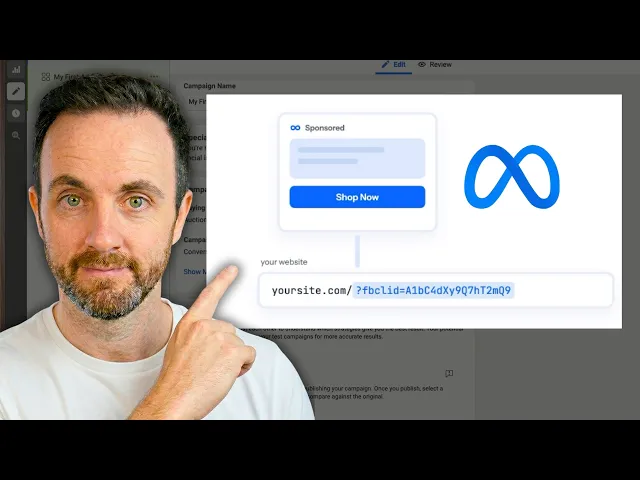
When someone clicks a Facebook or Instagram ad, Meta adds a unique tag to your website URL called the fbclid (Facebook Click ID). You have seen it: the long string after ?fbclid= in the address bar. It is unique to that specific click by that specific person.
Your tracking tool captures that click ID and stores it as the fbc value. When a conversion is later sent to Meta, the fbc is included, and Meta reads it as: “I know exactly who this was, because I issued that link to one person, and I know which ad it belonged to.”
This is the difference between a conversion that Meta can attribute to a campaign and one it cannot. Send the click ID and your match quality jumps, because Meta can pinpoint both the person and the ad. Lose the click ID and Meta will keep telling you that you are not sending enough data, no matter how many conversions you record.
Two things about the click ID are worth knowing:
It lives in a cookie on your domain. It is tied to the browser session that arrived from the ad.
It does not follow the visitor to a different website. This single fact causes the most common tracking failure we see, which is the next section.
Why third-party redirects break your tracking
Here is the trap. A visitor clicks your ad, lands on your site (click ID safely stored), then clicks “Book now” and gets sent to a third-party booking or checkout page on a different domain: an Acuity scheduler, an external payment page, an embedded widget in an iframe. They complete the booking there.
The problem: the Facebook Click ID was stored on your website. The moment the visitor moves to a different domain, that cookie does not travel with them. The other site has no way of knowing this person came from a Facebook ad. So even if you manage to send the conversion to Meta, it arrives without the click ID, and Meta cannot connect it to the ad that paid for it.
In your Ads Manager this looks like conversions with no attributed value: Meta shows a count of bookings, but never ties them to a campaign, and constantly asks for more data.
There are two ways out:
Redirect back to your website
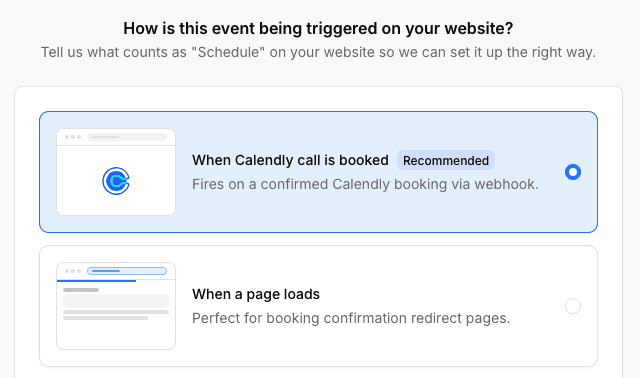
Redirect the visitor back to your own site after they convert (for example, to a /thank-you page). When they land back on your domain, PixelFlow can stitch the click ID back together with the conversion.
This is how PixelFlow’s Calendly integration works: it receives the booking server-to-server via webhook, then reunites it with the click ID when the visitor returns to your thank-you page.

Track the Button Click
Track the button click instead. If you cannot redirect, you can at least fire an event when someone clicks “Book now,” so you know how many clicks each campaign drove. The limitation: you will not have the person’s name, email, or the booking value attached, so match quality stays low. It is a fallback, not a fix.
The rule of thumb: keep the conversion on your own domain, or bring the visitor back to it. Tools that keep people on your site (a native form, an on-site checkout, a redirect back after booking) track cleanly. Tools that send people away and keep them there (some schedulers, iframes on other domains) will always lose attribution.
Where the conversion happens
Click ID
What Meta sees
On your own domain (native form, on-site checkout)
Preserved
Conversion attributed to the ad
Third-party page, then redirected back to your site
Recovered on return
Conversion attributed to the ad
Third-party page, visitor stays there
Lost
Conversion without attribution
Last-click attribution: why your traffic source looks wrong
You check your events and a visitor’s source says “Instagram,” but you know they just came from Google. Nothing is broken. This is last-click attribution at work.
Your tracking stores the last place a visitor came from. If they clicked an Instagram link a few days ago, that source is still sitting in their cookies. When they return later via Google (or type your URL directly), the earlier Instagram source can still show up until it expires or is overwritten. Open the same site in a private or incognito window with no history, and it correctly shows “direct.”
PixelFlow captures UTM parameters on a 7-day last-touch window, so the most recent tagged source within that window is what you see.
It is worth understanding so you do not misread your own data: the source shown is the last touch, not necessarily the click that happened thirty seconds ago.
Key takeaways
Two things decide whether Facebook can use your conversions: how much identifying data each event carries (your Event Match Quality score) and whether the Facebook Click ID survives from ad click to conversion.
Email is the highest-impact signal you can send. Capture it at the moment of action (the form submit), not on a later page load.
The Facebook Click ID does not follow visitors to other domains. Third-party booking and checkout pages break attribution unless you redirect the visitor back to your own site.
Send data even when ads are off. Organic conversions train Meta’s system so your ads perform better the moment you launch.
Run only one Pixel. A modern tool loads the Pixel and CAPI together and deduplicates them. A second standalone Pixel creates real duplicates.
Where PixelFlow fits
Everything above is how Facebook ads tracking works. PixelFlow is what makes it happen on your site without a developer. Mapped to the four parts of this guide:
The pipeline. PixelFlow loads the Meta Pixel and sends the Conversions API server-side for every event, with a shared event ID generated across both so deduplication is automatic. You install one script and stop worrying about whether events arrive.
The match. It captures form submissions at the moment of action, so the name, email and phone go out with the event rather than being lost on a later page load. It also extracts customer data from URL parameters, which is how bookings redirected from tools like Calendly still arrive with real identifying data attached. Both are what lift your Event Match Quality.
The credit. PixelFlow stores the Facebook Click ID when a visitor arrives from an ad and reunites it with the conversion when it happens, including conversions that complete on a third-party page and redirect back to your site. That is the difference between Meta attributing a booking to your campaign and showing it as an unattributed conversion.
The engine. It runs continuously whether or not your ads are on, so your organic conversions keep training your dataset.
It works on Webflow, Framer, Squarespace, WordPress and more, with no code and no Google Tag Manager.

Emmett Cooke
Founder, PixelFlow.so
Last updated 23 July 2026
12 min read
Frequently asked questions
What is a good Event Match Quality score?
Higher is better, and the scale runs up to 10. Page views naturally score lower because they carry little identifying data. For lead, contact, and purchase events, you want to be sending an email at minimum, which typically pushes those events into the higher band. If a conversion event is scoring low, the usual cause is that it is firing on a page load instead of capturing the form or checkout data at the moment of action. Note that new events can take one to two days to show updated scores in Meta Events Manager.
What is the fbclid and do I need to do anything with it?
The fbclid is the Facebook Click ID, a unique tag Meta appends to your URL when someone clicks an ad. You do not need to manage it manually. A tracking tool captures it automatically, stores it as the fbc value, and includes it when it sends conversions to Meta. Your only job is to avoid losing it, which mainly means keeping conversions on your own domain rather than sending visitors to a third-party page that the click ID cannot follow them to.
Why does Meta say I am not sending enough data even though I am getting conversions?
This almost always means your conversions are arriving without enough identifying signals, most often without the Facebook Click ID or without an email. It is common when bookings or purchases happen on an external page (like a standalone scheduler) that the click ID cannot reach, or when an event fires on a page load after the customer's details are no longer available. Capturing the action itself, and keeping it on your own domain, fixes it.
If I am not running ads, is it pointless to track conversions?
No, and this is one of the most valuable things to understand. Conversions from your organic traffic are sent to your Meta dataset and used to train Meta's system on who your customers are. When you later launch an ad, Meta already knows your ideal customer profile and can target from strength instead of starting cold. Matching data also fades over time, so continuous tracking keeps your dataset fresh.
Why does my traffic source show the wrong channel?
That is last-click attribution. Your tracking remembers the last source a visitor came from, and it can persist in their cookies for a window of time (7 days for UTM parameters in PixelFlow). So a visitor who clicked an Instagram link earlier can still show "Instagram" when they return via another channel. Testing in an incognito window with no history will show the true current source.
Do I need to remove my existing Facebook Pixel?
Yes, if your tracking tool already loads the Pixel for you. Running a separate standalone Pixel on top of it creates genuine duplicate events that deduplication cannot merge, because they come from two different setups. Remove any native Pixel from your platform's marketing settings and any Pixel code pasted into your site, and let the tool be the only thing loading it.
Fix Your Meta Tracking Today
Accurate reporting and attribution for your Facebook Ads.
Compatible with


