FACEBOOK & META
Server Side Tracking for Facebook
Your Facebook Pixel misses a large share of your conversions. PixelFlow sends the same events again from the server through the Meta Conversions API, deduplicated automatically. No tag manager, no code, no developer.
No credit card required
Works on any website, funnel or store
Live in under 10 minutes
Your website
Clicks, forms, checkouts and payments
Connected
Facebook CAPI
Server side events sent to the Meta Conversions API
Why the Facebook Pixel misses your conversions
The Pixel runs in your visitor’s browser, which is the least reliable place to run anything. Three forces have been quietly eating your conversion data for years, and none of them show up as an error.
Blocked
iOS and Safari cut the trail
App Tracking Transparency stops the Pixel firing for a large share of iPhone traffic, and Safari expires first-party cookies within days. The conversion still happens. Facebook never hears about it.
Filtered
Ad blockers drop the call silently
Extensions like uBlock Origin block requests to facebook.net before they leave the browser. No error, no retry, no record. As far as Meta is concerned the event never existed.
Wasted spend
Meta optimises on what it can see
Advantage+ and the auction learn from the conversions you report. Send Meta 60% of your purchases and it learns from 60% of your buyers, then spends the rest of your budget finding more of the wrong people.
The fix is the Conversions API, which sends the same events from a server instead of the browser. PixelFlow sets it up on any website, with no GTM container and nothing to host.
SETUP IN MINUTES
From your website to the Conversions API in 3 steps
No credit card
Quick setup
Point & click tracking
1
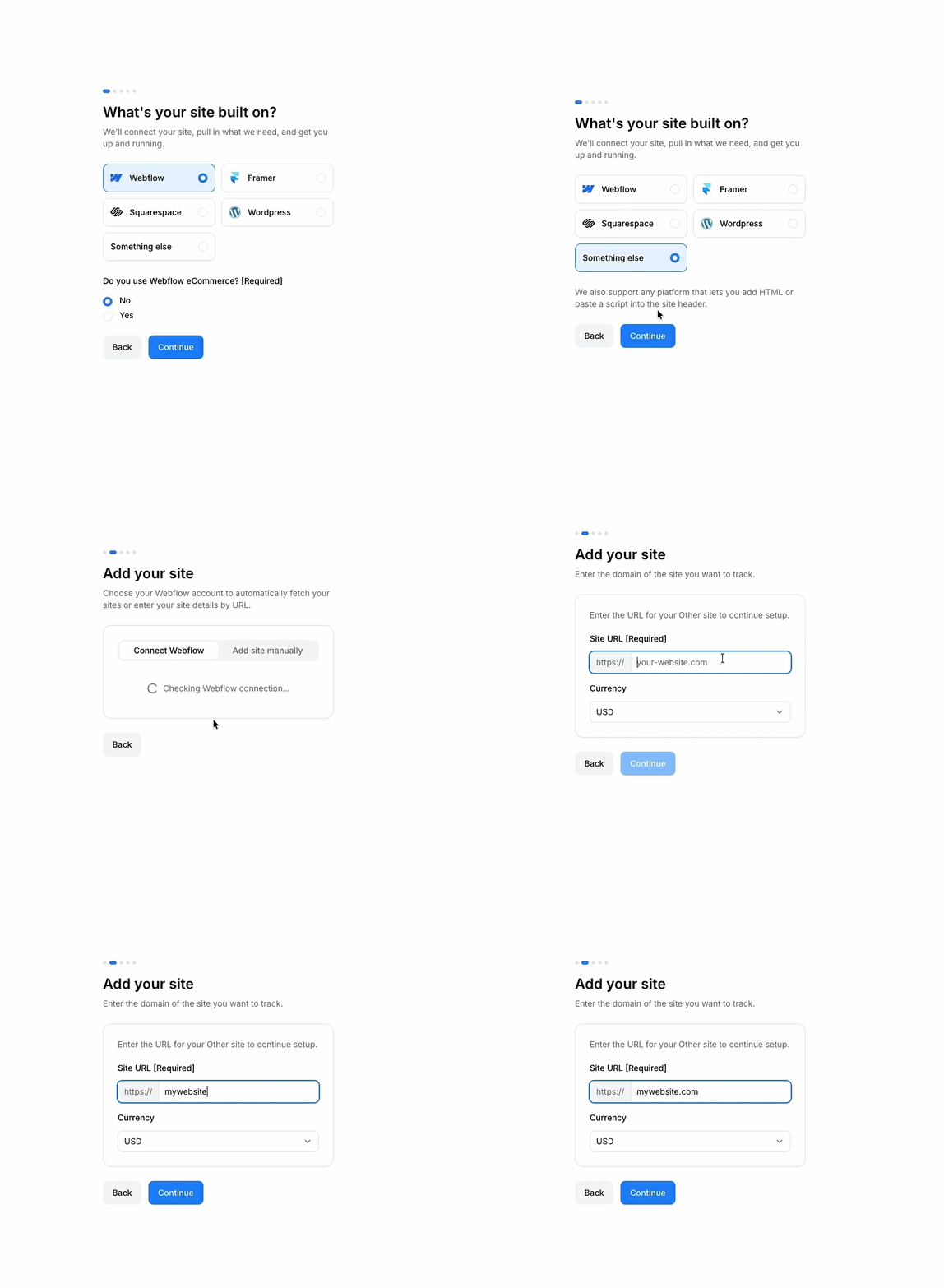
Connect PixelFlow to your site
Add the PixelFlow app, plugin or script depending on your platform, then connect your Meta Pixel ID and access token. No GTM container to build and no server to host.
2
Tag the events that matter
Point and click any button, link or form on your live site. Each one becomes a Meta standard event like Lead, Purchase or InitiateCheckout, ready for campaign optimisation.
3
Send both signals, deduplicated
Every event fires through the browser Pixel and the Conversions API carrying the same event ID, so Ads Manager counts one conversion instead of two.
Track any conversion and send it to Facebook
Every event arrives as a proper Meta standard event (Lead, Purchase, InitiateCheckout, AddToCart, ViewContent and more) so your campaigns can actually optimise on it.
Full name
you@email.com
Submit
Forms
Capture any form submission as a Lead event, with email and phone hashed in the browser before anything is sent.
May 2026
10
11
12
13
14
Schedule event
Calendar bookings
Track booked calls from Calendly server side, the moment the booking completes rather than when someone reaches a thank you page.
Buy now
Clicks
Tag any button, link or element visually. If you can click it on your site, you can send it to Facebook.
Leather Jacket
$129.00
Ecommerce
Auto track cart, checkout and purchase on WooCommerce, Squarespace and Webflow, and tag them manually anywhere else.
What PixelFlow sends to Facebook
The parameters that decide whether Meta can match your event to a real person
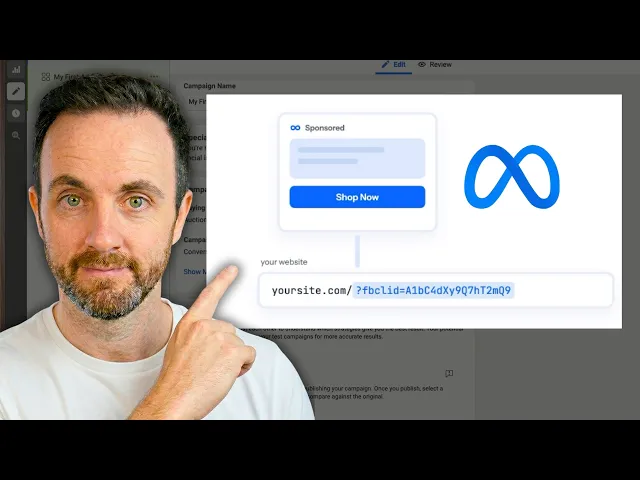
The fbclid from the ad click is stored as an _fbc cookie on first touch and attached to every later event, so Meta knows which campaign earned the conversion.
Browser ID (fbp) on every event
The _fbp cookie is read on every event and created when it is missing, so even a first-time visitor carries a stable identifier.
Browser and server events are paired on a shared event ID, so Ads Manager counts each conversion once instead of guessing.
Hashed customer data
Email, phone, name, city, region, postcode and country are SHA-256 hashed before they leave the page, so raw personal data never reaches Meta.
An anonymous per-browser identifier is sent with every single event, which is one of the cheapest ways to lift Event Match Quality.
See what fired, what Meta received and whether it was accepted, without opening developer tools.
WHY NOT GTM?
Three ways to get Facebook server side tracking
Every route ends at the same Conversions API. They differ enormously in what they cost you to get there.
PixelFlow
Google Tag Manager
Custom code
Setup time
Under 10 minutes
Days, often longer
Days, plus a developer
Coding required
None
dataLayer and tag config
JavaScript and a server
Server-side CAPI
Included
Requires GTM server container (paid hosting)
Build and host it yourself
Event deduplication
Automatic
Manual configuration
Manual implementation
Maintenance
None, managed for you
Ongoing container upkeep
Ongoing dev time
Cost
From $29/mo
Free tool, but server container hosting from ~$120/mo plus setup time
Developer hours
GTM is powerful if you have a developer and time. PixelFlow exists for everyone who does not.
THE PAYOFF
Event Match Quality is Meta’s score for how well your conversion data identifies real people. Higher scores mean Meta can attribute more of your conversions and optimise delivery with better signals.
Browser-only Pixel setups typically score in the 4 to 6 range. With PixelFlow sending enriched server-side events, sites regularly reach 8 or higher.
EVENT MATCH QUALITY
8.6
/ 10
Pixel only
4.2
With PixelFlow
8.6
8+
Typical Event Match Quality for Lead & Purchase events with PixelFlow
Up to 40%
More conversions visible to Meta after adding CAPI
0
Lines of code added to your website
Up to 30%
Less money spent on Facebook ads as Meta knows who to target for you
What is Facebook server side tracking?
Server side tracking sends your conversion events to Facebook from a server instead of from the visitor's browser. Facebook's server side endpoint is the Meta Conversions API. Because the request never depends on the browser, it is not stopped by ad blockers, iOS privacy settings, or a visitor closing the tab before the pixel finishes firing.
Do I still need the Facebook Pixel?
Yes, and you should keep it. Meta's own guidance is to run the Pixel and the Conversions API together, because each one catches events the other misses. PixelFlow fires both and gives them a shared event ID, so Ads Manager counts the conversion once rather than twice.
Do I need Google Tag Manager?
No. PixelFlow replaces the whole GTM and server container setup. You connect your site, tag events by clicking them on the page, and PixelFlow handles both the Pixel and the Conversions API. There is no dataLayer to design and no container hosting bill.
Do I need a developer or any code?
No. There is nothing to paste into your theme and no custom code embeds. If you can click a button on your own website, you can set up PixelFlow. Most people finish in under ten minutes, and there is a free setup call if you would rather we did it with you.
How much conversion data am I actually losing?
It depends entirely on your traffic mix. Browser-only setups commonly lose a fifth to a third of events, and more when a lot of traffic is iPhone or desktop with ad blockers. The honest answer is that you cannot know until you run both and compare, which is exactly what the first week of a trial shows you.
What is Event Match Quality and why does it matter?
Event Match Quality is Meta's score, from 1 to 10, for how well each event identifies a real person. It is not a vanity metric: a higher score means Meta can attribute more conversions to your ads and build better lookalikes. It rises when you send more identifiers, which is why server side events with hashed email, click ID and external_id score so much higher than a bare browser pixel.
How does event deduplication work?
When the Pixel and the Conversions API both report the same purchase, Meta needs to know it is one conversion. Deduplication solves that: both copies carry the same event ID and Meta keeps one. Done by hand in GTM this is where setups most often break, and duplicate purchases quietly inflate your reported ROAS until someone notices.
What events can I send to Facebook?
Meta standard events, including Lead, Purchase, InitiateCheckout, AddToCart, ViewContent, CompleteRegistration, Subscribe and StartTrial. You choose which standard event each tagged action maps to, so a demo booking can be a Lead and a paid plan can be a Purchase.
What customer data gets sent, and is it hashed?
Whatever the page can see: email, phone, first and last name, city, region, postcode and country, plus the click ID, browser ID and an anonymous external_id. Everything personal is SHA-256 hashed in the browser before it is sent, so Meta receives the hash and never the raw value.
Is it GDPR compliant?
PixelFlow is consent aware, so events respect your cookie banner, and all personal data is hashed before it leaves the page. A data processing agreement is available. You still need a lawful basis for tracking in the first place, which is your decision rather than ours.
Will this slow down my site?
No. PixelFlow loads a single lightweight script, and the delivery to Meta happens server side, away from your visitor's browser. Nothing in the critical rendering path changes.
What if my checkout happens off-site, like on Stripe?
That is one of the biggest sources of lost attribution. PixelFlow receives Stripe purchases, subscriptions and trials by webhook and stitches them back to the original ad click, so an off-site checkout still lands in Ads Manager against the campaign that earned it. Calendly bookings work the same way.
Does this fix the iOS 14 and App Tracking Transparency problem?
It is the main reason to use it. ATT stops the browser Pixel firing for a large share of iPhone traffic. A server side event does not depend on the browser at all, so it still reaches Meta and is matched on the click ID and hashed customer data you already hold.
How do I get started?
Connect your site, add your Pixel ID and access token, and tag your first event by clicking it. The free trial needs no credit card, and most sites see server side events arriving in Events Manager within minutes.
Also works with:
·

Smarter, server-side tracking
Start sending accurate conversions today - no tag manager, no code, no developer required.
Compatible with


